Modernising your IT infrastructure: an SME method without disruption
Servers, network, workstations, cloud and security: how to modernise SME IT infrastructure step by step without interrupting operations.
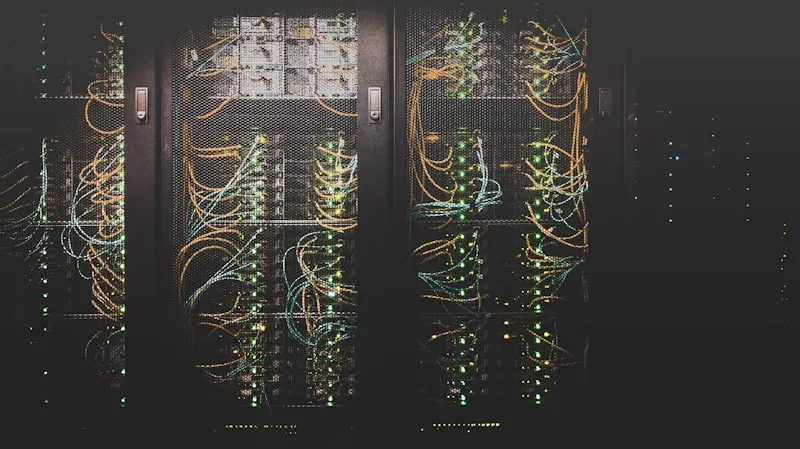
Modernising IT infrastructure does not mean replacing everything at once. For an SME, the right approach is to reduce visible risks, address critical dependencies and evolve the environment step by step.
The classic mistake is waiting for failure. An ageing server, saturated NAS, unstable Wi-Fi or unmanaged workstations always cost more when migration happens under pressure.
When should an SME modernise its infrastructure?
Several signals should trigger an audit.
Performance is degrading. Slow file access, business applications freezing, unstable VPN, recurring network latency.
Equipment is no longer maintained. Servers without warranty, unsupported Windows versions, unpatched firewalls, old Wi-Fi access points.
Backups are not tested. A backup that has never been restored is an assumption, not protection.
Security relies on old habits. Shared accounts, weak passwords, no MFA, excessive permissions and antivirus alone.
Growth creates friction. What worked for 8 people no longer works for 25. Network, file sharing and email need to scale with the company.
An IT audit helps prioritise these signals without rebuilding everything immediately.
Step 1: map the current environment
Before choosing a solution, know what exists.
Inventory should include:
- desktops and laptops;
- physical and virtual servers;
- NAS and storage;
- firewall, switches and Wi-Fi;
- business applications;
- domains, DNS and certificates;
- Microsoft 365 or Google Workspace accounts;
- local and cloud backups;
- supplier contracts.
This often reveals forgotten assets: an old server under a desk, a critical Access database, a shared admin account, a permanently connected backup drive or an unmanaged SaaS subscription.
Step 2: classify priorities
Not all modernisation work has the same impact.
Priority 1: security and continuity. MFA, tested backups, updates, EDR, maintained firewall and clean permissions.
Priority 2: productivity. Slow workstations, unstable Wi-Fi, hard-to-share files, poorly configured email and unreliable remote access.
Priority 3: scalability. Cloud migration, server renewal, network redesign, workstation standardisation and deployment automation.
This avoids starting with the most visible project rather than the most useful one.
Local server, cloud or hybrid?
The choice depends on business applications, internet reliability and regulatory constraints.
Local server. Useful when software requires it, files are very large or connectivity is unstable. It requires regular maintenance, UPS protection, monitoring and offsite backup.
Cloud. Relevant for email, collaborative files, backup and remote access. It reduces dependency on local hardware but requires strong identity and permission management.
Hybrid. Often the best SME model: Microsoft 365 for collaboration, cloud backup, while selected business applications remain local during transition.
Our Microsoft 365 migration guide covers the preparation points.
Step 3: secure before migrating
Migration can amplify existing issues. If file permissions are messy locally, they will be messy in SharePoint. If accounts are shared, cloud will not fix it.
Before migrating:
- remove inactive accounts;
- enable MFA;
- review groups and permissions;
- remove duplicates and obsolete archives;
- test backups;
- document application dependencies;
- prepare a rollback plan.
This preparation reduces interruptions and avoids moving technical debt to a new platform.
Step 4: migrate in waves
Do not switch everyone on the same day.
Start with a pilot group: management, business referents and a few comfortable users. Fix sync, permissions, email signature and mobile issues. Then migrate teams by department.
For files, avoid a massive copy-paste. Define a target structure, access rules and retention logic before moving data.
Training must be part of the schedule. Without support, users work around the new system: files by email, local folders, shared passwords.
Frequently asked questions
Should all infrastructure move to the cloud?
No. Cloud is useful, but some business software, large files or local constraints justify a hybrid model.
How long does SME IT modernisation take?
For 10 to 30 workstations, expect 2 to 8 weeks depending on audit, preparation, migration, training and stabilisation.
Can modernisation happen without downtime?
Yes, if migration is prepared in waves and a rollback plan exists. Sensitive switchovers should happen outside business hours.
What should be modernised first?
Usually tested backups, MFA, inventory, patching and firewall maintenance. These reduce risk quickly.
Who should lead the project?
A business owner on the company side and an IT provider on the technical side. Without an internal referent, permissions and priorities remain vague.
See also: SME IT audit, SME backup, IT monitoring and ECLAUD IT services.